Parent Gateway
Guide on Parent Gateway
About
Parents Gateway is a mobile app by MOE that helps parents stay updated on their child’s school activities and complete administrative matters, such as giving consent for school programmes and declaring travel plans.
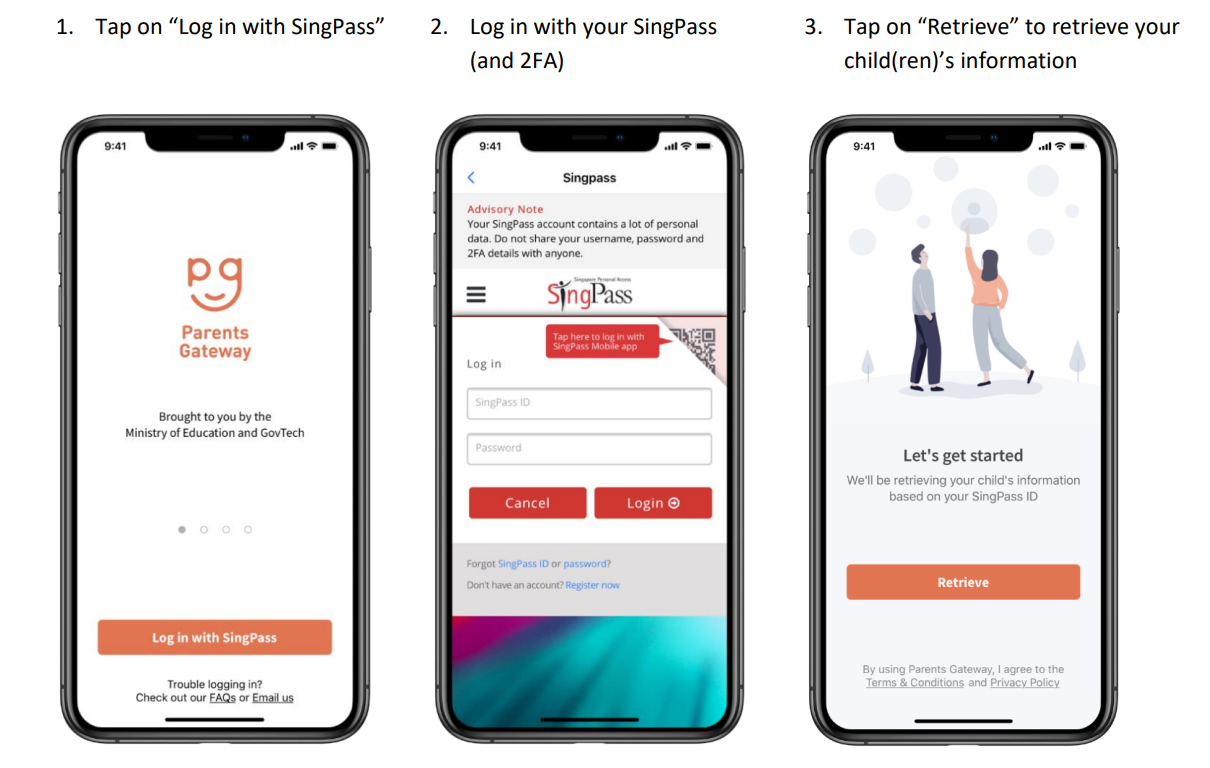
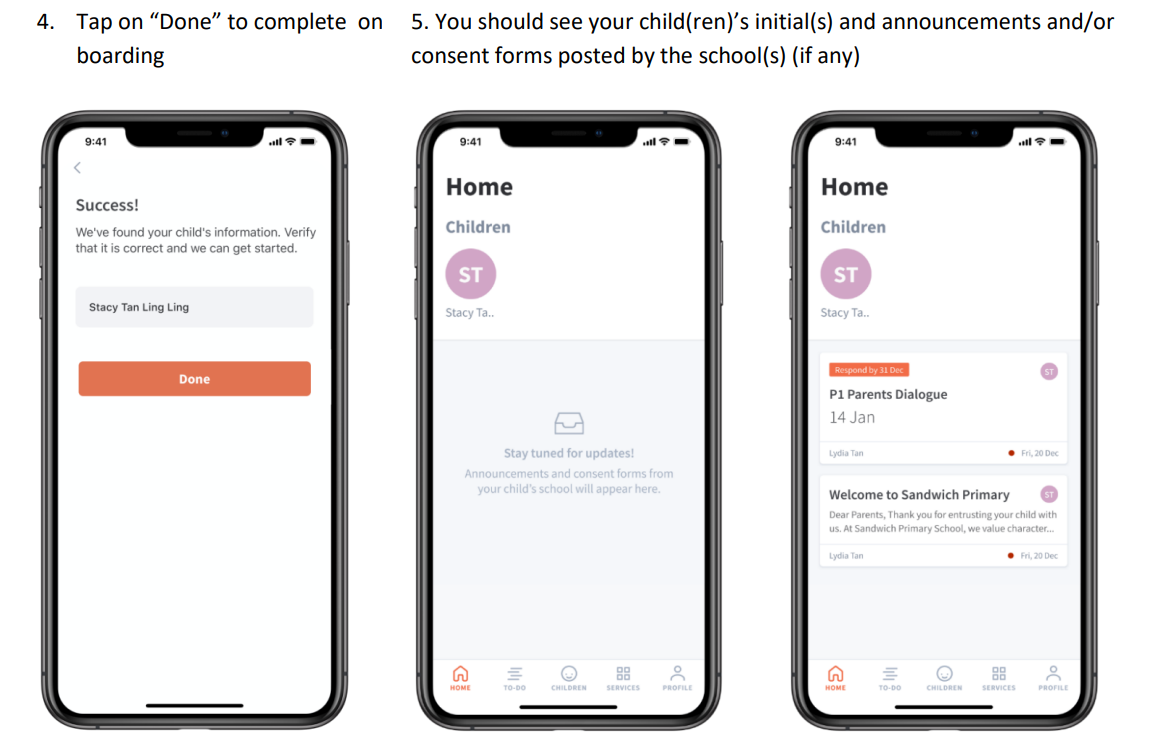
We encourage all parents to download the Parents Gateway app on their mobile phones. It is available on both iOS and Android. After downloading, the app will guide you through a simple one-time setup.
Please refer to the instructional guide below for more information.
If you are unable to access Parents Gateway, please approach your child’s form teacher for assistance.
You may also refer to the FAQs at https://pg.moe.edu.sg/faq (opens in new tab)
Instructional Guide
Step 1 - SingPass Registration and 2FA Setup
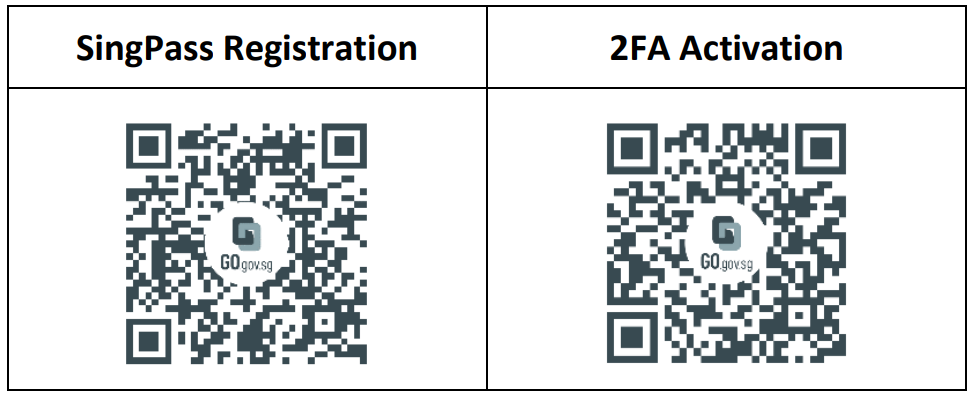
SingPass 2-Step Verification (2FA) is required for on boarding. If you have not registered for a SingPass or have not set up the 2FA, please visit the SingPass website (https://www.singpass.gov.sg (opens in new tab)), or scan the QR codes below to do so. Should you require further assistance, please contact the SingPass Helpdesk at 6643-0555.
Step 2 - Download Parents Gateway App
a. Open the Apple App Store, Huawei App Gallery or Google Play Store app on your mobile phone.
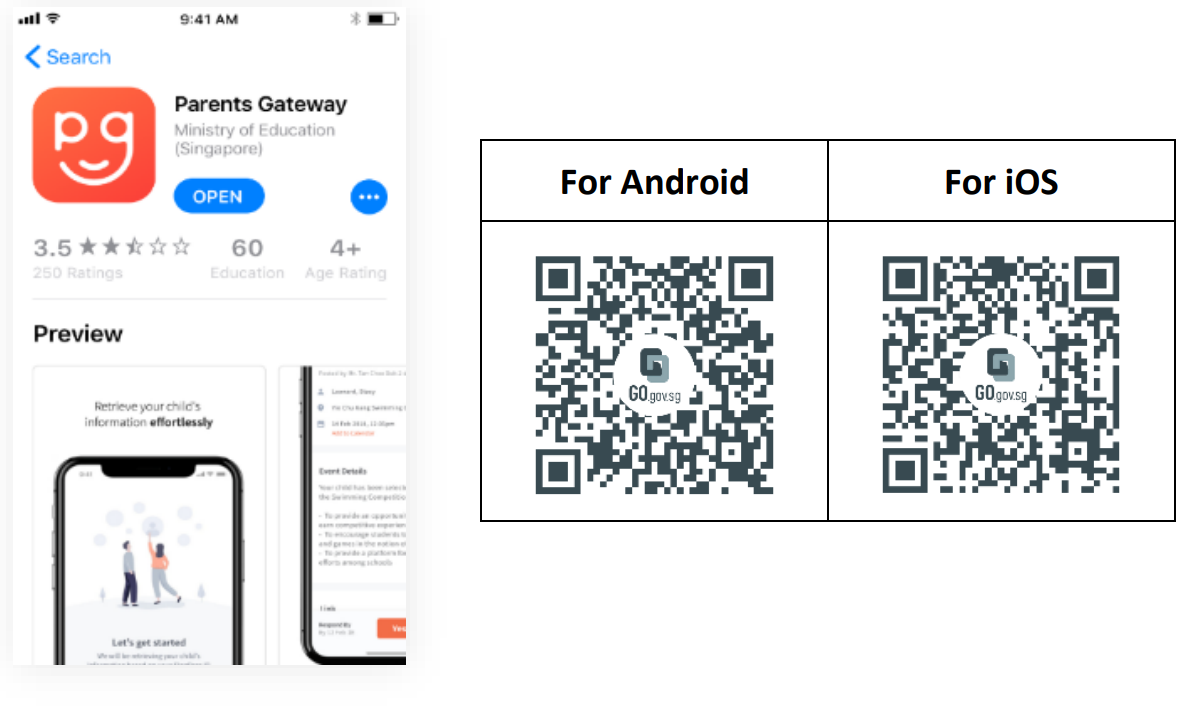
b. Search for the ‘Parents Gateway’ mobile app, or scan the QR code below.
c. Download and install the app on your phone.
d. Enable ‘Allow Notifications’ to receive push notifications.
Note: Supported OS Versions - Android 5.0 or later & iOS 9.1 or later